
Views: 0 Author: Site Editor Publish Time: 2025-10-27 Origin: Site
Ever wondered why your DIY project isn't going as planned? Choosing the right tool is crucial. Understanding the importance of drills and impact drivers can transform your work. Many beginners make rookie mistakes with cordless power drills and impact drivers. In this post, you'll learn how to avoid these pitfalls and enhance your tool skills.
When starting a project, knowing the difference between a drill and an impact driver helps you pick the right tool. Each tool serves different purposes and uses distinct mechanisms.
A drill spins a bit to bore holes or drive screws gently. It has a keyless chuck that holds round or hex bits and offers multiple speed and torque settings. This makes it versatile for various tasks, especially where precision matters.
An impact driver, on the other hand, combines rotation with quick bursts of concussive force. It uses a 1/4-inch hex chuck designed for hex-shank bits only. This tool delivers much higher torque, ideal for driving long screws or lag bolts into tough materials.
Use a drill when you need to:
Drill precise holes in wood, metal, or plastic
Drive screws into softer materials without stripping them
Work on delicate tasks requiring controlled speed and torque
Drills excel at creating pilot holes and installing light fixtures or cabinet hardware where accuracy is key.
Choose an impact driver for:
Driving large or long fasteners into dense wood or metal
Tasks requiring high torque, like building decks or automotive repairs
Working in tight spaces thanks to its compact design
Its hammer-and-anvil mechanism helps break loose stuck bolts or drive screws quickly without wrist strain.
A drill spins a bit rapidly to bore holes or drive screws. It uses a keyless chuck that tightens around the bit, allowing easy bit changes. The drill’s motor turns the chuck at variable speeds, controlled by a trigger and sometimes a speed switch. Torque settings help control how much force the drill applies, which prevents overdriving screws or damaging materials.
Drills rotate the bit smoothly and continuously, which is perfect for drilling precise holes in wood, metal, or plastic. The clutch mechanism disengages the motor once the set torque is reached, protecting screws and workpieces from damage.
An impact driver also spins a bit but adds bursts of concussive force when it meets resistance. Inside, a hammer-and-anvil mechanism delivers quick, powerful impacts that multiply torque without the need for the user to push hard. This makes driving large screws or bolts easier and faster.
Impact drivers use a 1/4-inch hex chuck designed for hex-shank bits only. They don’t have a clutch like drills, so torque control is less precise. Instead, the tool relies on its impact action to avoid stripping screws or stalling the motor.
This mechanism makes the impact driver ideal for tough fastening tasks, especially in dense wood or metal, where normal drills struggle.
| Component | Drill | Impact Driver |
|---|---|---|
| Chuck | Keyless 3-jaw chuck, holds round/hex bits | 1/4-inch quick-release hex chuck |
| Motor | Continuous rotation with variable speed | Rotates with bursts of impact torque |
| Torque Control | Adjustable clutch settings | No clutch, relies on impact mechanism |
| Speed Settings | Multiple speeds for drilling and driving | Usually single speed, some variable |
| Bit Compatibility | Wide range of bits (round, hex, specialty) | Hex-shank bits only |
| Use Case Focus | Drilling holes, light screwdriving | Driving screws, loosening bolts |
The drill’s clutch and variable speed make it versatile and precise. The impact driver’s hammer-and-anvil mechanism provides high torque bursts for heavy-duty fastening.
Using a drill or impact driver correctly can make or break your project. Many rookies fall into simple traps that slow progress or damage tools and materials. Let’s explore the most common mistakes and how to avoid them.
One of the biggest rookie errors is grabbing the wrong tool for the job. For example, using an impact driver to drill precise holes often results in rough, uneven holes and can damage delicate materials. On the flip side, using a drill to drive large lag bolts into hardwood without pilot holes can strain the drill and strip screws.
Remember, drills excel at drilling and light fastening. Impact drivers shine when you need high torque for driving long screws or loosening stubborn bolts. Using each tool for its intended purpose saves time and prevents tool wear.
Drills usually come with adjustable torque settings or clutches. Skipping these settings can lead to overdriving screws, stripping heads, or damaging materials. Beginners often crank the drill to full power, which isn’t always necessary.
Impact drivers don’t have torque settings but rely on their impact mechanism to deliver bursts of power. Still, controlling trigger pressure helps prevent overdriving screws or snapping smaller fasteners. Taking time to understand and adjust torque controls on drills is key to professional results.
Using the right bit is crucial. Drills accept round or hex shank bits, while impact drivers require hex shank bits designed for impact use. Using the wrong bit can cause poor grip, slipping, or damage.
For example, don’t try to use standard drill bits in an impact driver unless they’re impact-rated. Also, using dull or damaged bits reduces efficiency and can ruin your workpiece. Always inspect bits before use and replace or sharpen as needed.
Using a drill or impact driver correctly is crucial for good results and tool longevity. Here are key techniques to master for each tool.
Pilot holes guide screws into the material, preventing splitting and making driving easier. Always drill a pilot hole slightly smaller than the screw’s diameter. This reduces stress on the wood or metal and protects your bit from overheating or dulling quickly.
For example, when fastening hardwood decking, start with a pilot hole to avoid cracking. Also, pilot holes help align screws perfectly, keeping your project neat and professional.
Drills come with adjustable speed and torque settings. Use lower speeds and torque for delicate materials like softwood or drywall. Higher settings suit hardwood or metal. Start slow to maintain control and increase speed gradually.
Impact drivers don’t have torque settings but rely on trigger pressure for speed control. Apply steady, moderate pressure on the trigger to avoid overdriving screws or snapping small fasteners. For tough jobs, let the impact driver’s bursts do the work, not your wrist.
Remember, too much torque or speed can strip screw heads or damage materials. Adjust settings based on the task and material hardness.
A loose bit can cause slipping, damage, or injury. Always tighten the drill’s chuck firmly. Many drills feature a chuck lockout mechanism. After tightening, turn the chuck counterclockwise slightly until it clicks to lock the bit in place.
For impact drivers, the quick-release hex chuck secures bits automatically. Still, check that the bit snaps fully into the chuck before starting.
Proper chuck lockout keeps bits stable, improves accuracy, and protects both tool and user.
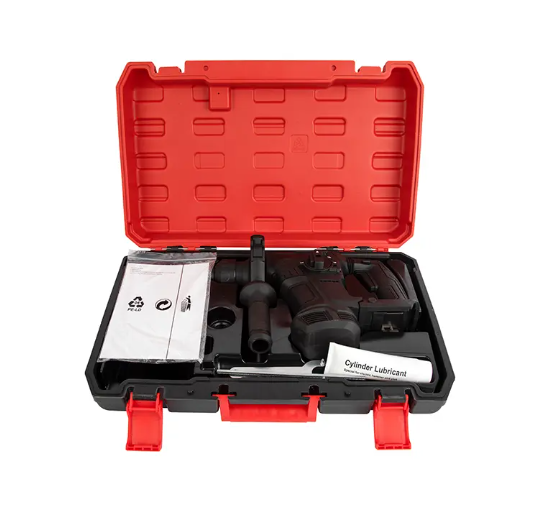
Proper maintenance keeps your drill and impact driver running smoothly and extends their lifespan. Neglecting care can lead to poor performance or costly repairs. Here’s how to manage batteries, clean and lubricate tools, and preserve bits for best results.
Batteries are the heart of cordless drills and impact drivers. To maximize battery life:
Charge Fully, Then Unplug: Avoid overcharging by unplugging once the battery reaches 100%. Many chargers have auto shut-off, but it’s good to be cautious.
Store Batteries Properly: Keep batteries in a cool, dry place. Extreme heat or cold reduces battery capacity and lifespan.
Avoid Deep Discharge: Don’t let batteries drain completely before recharging. Frequent deep discharges wear them out faster.
Rotate Batteries: If you have multiple batteries, rotate their use to keep them all healthy.
Clean Battery Contacts: Wipe contacts with a dry cloth to maintain good connection between battery and tool.
Following these steps ensures your tool always has power when you need it.
Dust, wood chips, and grime can clog vents and wear down parts. Regular cleaning prevents this:
Wipe Tool Exterior: Use a dry or slightly damp cloth after each use to remove dirt and dust.
Clean Vents: Use compressed air to blow out dust from vents and motor housing. This prevents overheating.
Lubricate Moving Parts: Occasionally apply a drop of machine oil to the chuck and any exposed moving parts. Avoid over-lubricating, which attracts dirt.
Check for Wear: Inspect parts like the chuck, trigger, and bit holder for signs of damage or looseness. Tighten or replace as needed.
Proper cleaning keeps your tools running quietly and efficiently.
Bits wear down over time, but you can extend their life:
Use the Right Bit: Match bits to the material and tool. For example, impact-rated hex bits for impact drivers, and drill bits designed for wood, metal, or masonry.
Keep Bits Sharp: Dull bits cause extra friction and strain your tool. Sharpen or replace bits regularly.
Avoid Overheating: Heat damages bits and makes them dull faster. Use the correct speed setting and apply cutting oil when drilling metal.
Store Bits Properly: Keep bits in a dry, organized case to prevent rust and damage.
Inspect Before Use: Check bits for cracks, chips, or excessive wear. Replace damaged bits immediately.
Taking care of your bits improves cutting quality and protects your tools.
Tip: Charge batteries fully before storage, clean vents regularly with compressed air, and always use sharp, impact-rated bits to keep your drill and impact driver performing at their best.
Using a drill or impact driver safely is just as important as knowing how to use them properly. These tools pack power and torque, so taking precautions protects you and those around you.
Always wear safety glasses to shield your eyes from flying debris. Gloves can protect your hands but ensure they fit well to avoid getting caught in moving parts. Hearing protection is wise, especially when using impact drivers, which can be louder than drills. Consider dust masks if working with materials that create fine dust.
Proper footwear prevents slips and injuries. Avoid loose clothing or jewelry that could snag on the tool or workpiece.
Impact drivers deliver bursts of high torque, which can cause sudden tool kickback. Maintain a firm grip with both hands when possible. Keep your body balanced and avoid awkward positions. When starting a screw or bolt, begin slowly to get control before increasing speed.
For drills, use torque settings to prevent overdriving screws and reduce wrist strain. If the tool suddenly stalls or binds, stop immediately to avoid injury or damage.
Using the right bit size and type also helps manage torque effectively. A loose or worn bit can slip, causing the tool to jerk unexpectedly.
Keep your workspace clean and organized. Remove clutter that could cause tripping or interfere with tool operation. Ensure good lighting so you can see your work clearly.
Secure workpieces firmly using clamps or a vise. Never hold small parts by hand while drilling or driving screws. This reduces risk of injury if the bit slips or the tool kicks back.
Be mindful of electrical cords and battery packs. Keep them clear of the drilling area to avoid cutting or damaging them.
Always unplug or remove the battery before changing bits or making adjustments. This prevents accidental starts.
Understanding the difference between drills and impact drivers is crucial to avoid common rookie mistakes. Drills offer precision for delicate tasks, while impact drivers deliver high torque for tough jobs. Proper use involves selecting the right tool, adjusting torque settings, and using appropriate bits. Yongkang Mingpu provides high-quality tools that meet these needs, ensuring efficient and safe project completion. Explore their range for reliable solutions that enhance your DIY or professional tasks.
A: Cordless Power Drills are ideal for drilling precise holes and driving screws into softer materials, offering controlled speed and torque for delicate tasks.
A: Cordless Power Drills use a keyless chuck for versatile bit holding and smooth rotation, while impact drivers deliver high torque bursts via a 1/4-inch hex chuck.
A: Use Cordless Power Drills for tasks requiring precision and control, such as drilling pilot holes or working with delicate materials, where accuracy is crucial.


